Community Training Classes & Labs > DNS Services Index
3.1.4. site2_ha-pair
LTM devices need to be defined. Create a server object for the bigip1.site1 and bigip2.site1 HA pair
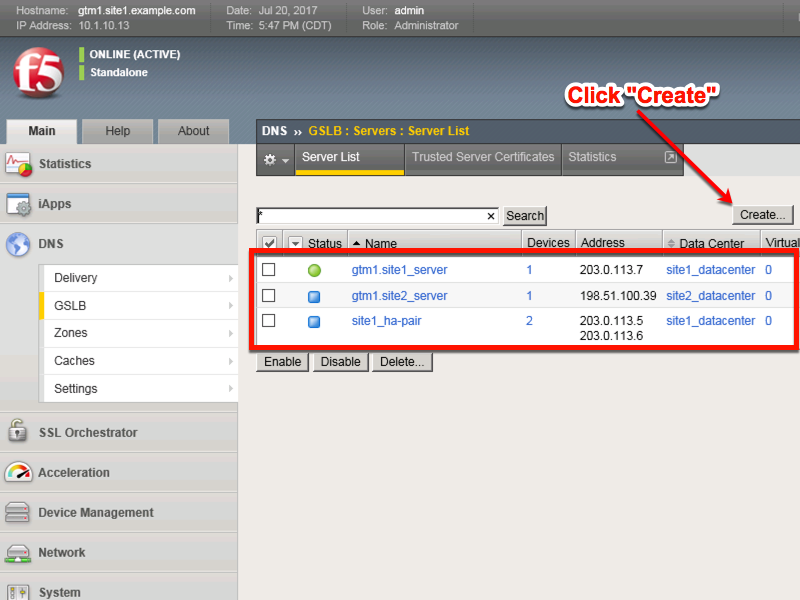
Create a Server Object as defined in the table below:
| Setting | Value |
|---|---|
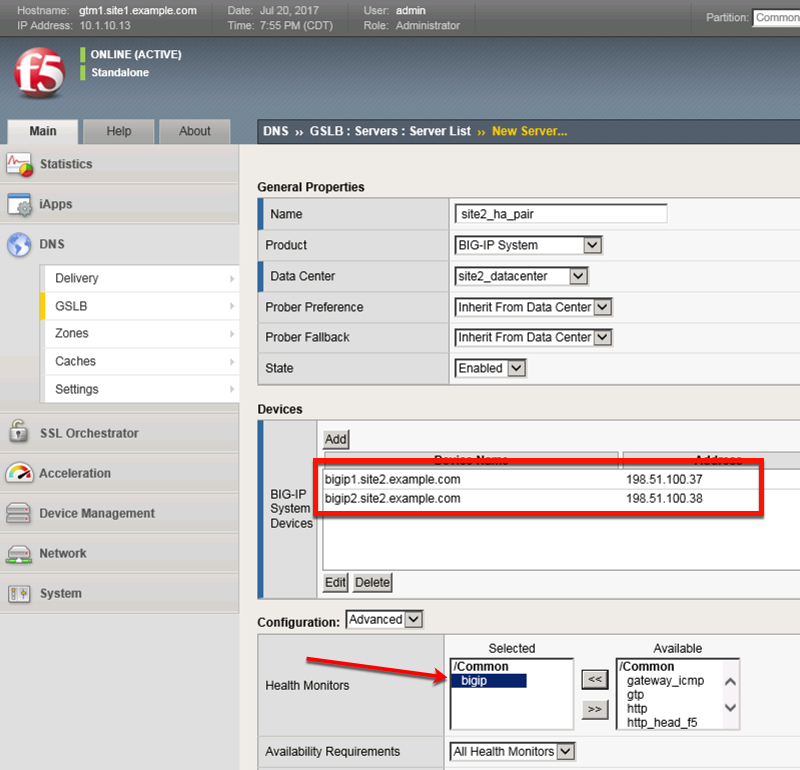
| Name | site2_ha-pair |
| Data Center | site2_datacenter |
| Device Add: | bigip1.site2.example.com : 198.51.100.37 |
| Device Add: | bigip2.site2.example.com : 198.51.100.38 |
| Health Monitors | bigip |
| Virtual Server Discovery | Enabled |
| Link Discovery | Enabled |
Fill in the Name and Datacenter
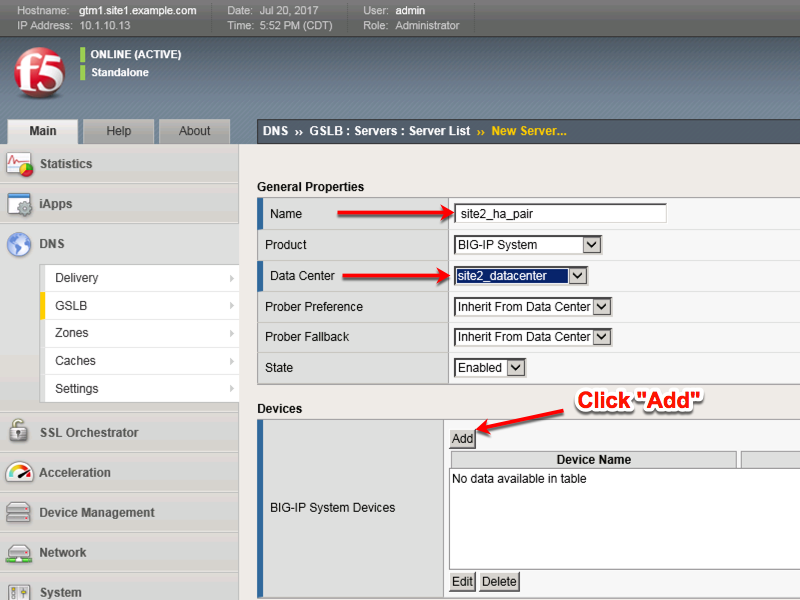
Click the “Add” button to define IP addresses
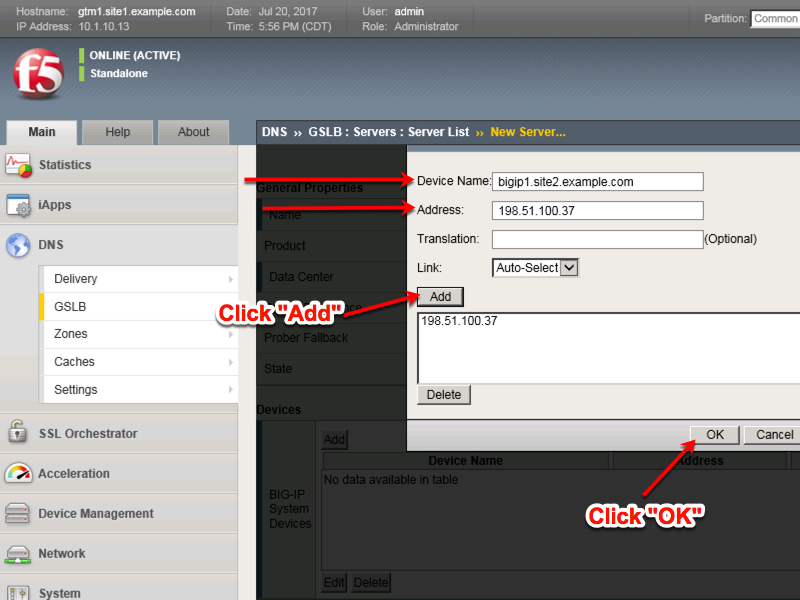
Click “Add” again to define the other BIG-IP in the HA pair.
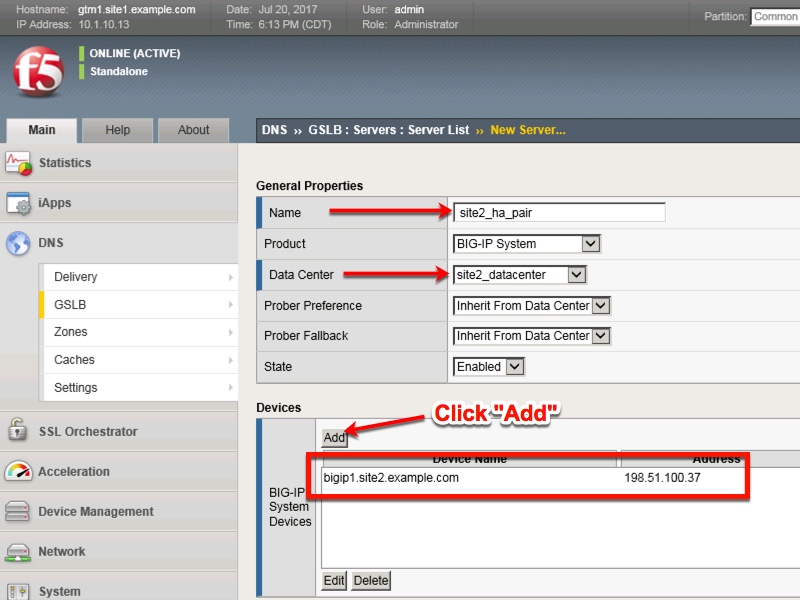
Click the “Add” button to define IP addresses
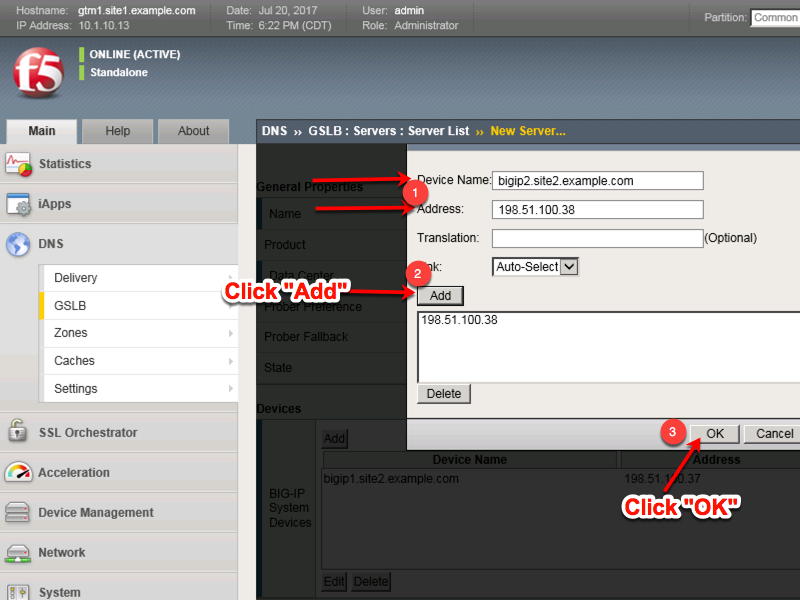
Complete the form and associate the “bigip” “Health Monitor”
https://gtm1.site1.example.com/tmui/Control/jspmap/tmui/globallb/server/create.jsp
TMSH
tmsh create gtm server site2_ha-pair datacenter site2_datacenter devices add { bigip1.site2.example.com { addresses add { 198.51.100.37 { } } } bigip2.site2.example.com { addresses add { 198.51.100.38 { } } } } link-discovery enabled monitor bigip product bigip virtual-server-discovery enabled